How to Automate Your Savings in India: Set It Up Once
Automation removes willpower from the equation. With the right setup, your savings and investments happen on salary day — before you can spend the money.
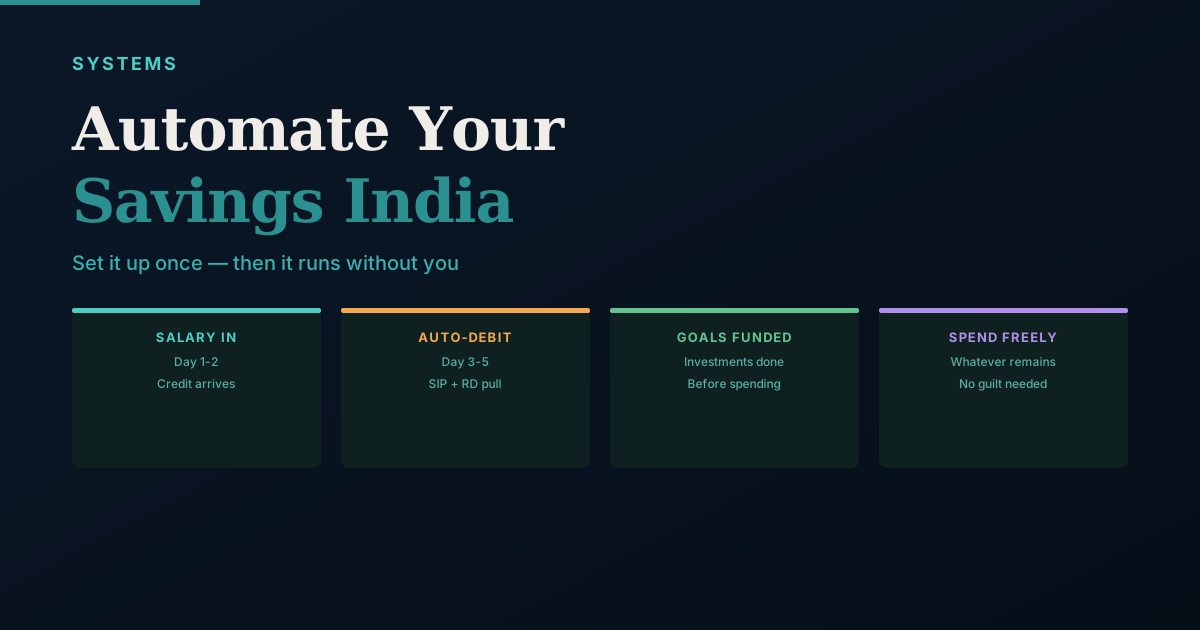
The most reliable savings system isn't about discipline. It's about removing the decision entirely. Money that leaves your account on salary day — before you've seen it — doesn't get spent.
Source check: RBI's e-mandate framework, AMFI's SIP explainer, the National Savings Institute's PPF scheme rules, and NPCI's NACH mandate-duration circular were checked on 27 July 2026. Mandate-failure charges and grace periods are set by individual banks and insurers, not by a single nationwide rate — confirm the exact figure with your own bank or insurer before relying on it.
The Core Principle: Pay Yourself First, Automatically
Every rupee that stays in your salary account is at risk of being spent. Every rupee that leaves for a designated purpose on day 1 is protected.
The sequence:
- Salary arrives
- Auto-debit for SIPs, RDs, and EMIs executes
- What remains is your spending money
This is not about willpower. It's about systems. Use the Savings Rate Calculator to see what share of income your current automation actually protects, and the Financial Goal Tracker to log what each automated transfer is funding.
What to Automate
Tier 1 — Must Automate:
- EMIs (home loan, car loan) — already auto-debits in most cases
- Insurance premiums — set annual or monthly auto-debit
- SIPs — core equity and debt fund investments
Tier 2 — Should Automate:
- Emergency fund contribution (until target is reached)
- NPS contribution (both employee and employer portion if possible)
- PPF annual contribution (schedule once in April)
Tier 3 — Consider Automating:
- Annual SIP step-up (many AMCs allow 5-10% automatic annual increase)
- Recurring deposits for near-term goals
Setting Up Bank Auto-Debits
For SIP mandates, use one of:
- NACH mandate (National Automated Clearing House) — bank-level, very reliable
- Auto-debit via UPI mandate — works for most investment platforms
- Standing instruction at bank — for fixed transfers to specific accounts
Go to your AMC's website or your investment platform (Zerodha Coin, Groww, Kuvera, MFCentral) and register a mandate. You'll be asked for your bank details and the debit date. Set it 3-5 days after your expected salary credit.
Choosing the Right Debit Date
The ideal SIP date:
- 5th of the month — gives 3+ days buffer from salary (assuming 1st-2nd credit)
- 10th of the month — good for late salary credits or irregular employers
- Avoid end of month dates (29th, 30th) — salary delays can cause SIP failures
The Auto-Escalation Feature
Many SIPs allow a 5-10% annual automatic step-up. If you set this up once, your SIP amount increases every April without you needing to remember or act.
On Rs.10,000/month SIP with 10% annual step-up:
- Year 1: Rs.10,000/month
- Year 5: Rs.14,641/month
- Year 10: Rs.23,579/month
What to Not Automate
- Day-to-day discretionary spending (still needs decision-making)
- Large lump-sum investments (timing can matter for large amounts)
Monthly Check (Just 10 Minutes)
Automation doesn't mean ignoring your finances. Once a month:
- Confirm all auto-debits executed successfully
- Review investment portfolio performance briefly
- Check any failed transactions and re-process
A Simple Account Architecture
Automation works best when money physically moves out of reach. A practical three-account setup:
- Salary account — receives income; only EMIs, SIPs, and one transfer to spending leave from here.
- Spending account — a separate account and debit card you actually spend from. Auto-transfer your monthly budget here on day 1; when it's empty, you've hit your limit.
- Goals / emergency account — ideally at a different bank (or a liquid fund) for the emergency fund and short-term goals.
Using a different bank for the goals account adds useful friction — you won't raid it on impulse because it isn't one tap away.
Jay's operating note: I run the same separation for the business — an operating account that pays suppliers and statutory dues, and a reserve account at a different bank that nothing touches except a scheduled transfer. The friction of moving money between banks is doing the discipline work, not memory or willpower. The same three-account logic works whether the "salary" is a paycheck or the business's own weekly cash position.
If your income is irregular rather than a fixed monthly salary — commission, freelance, or a seasonal business — a fixed debit date can fail in months when cash hasn't arrived yet. See variable-income budgeting for how to automate a baseline without over-committing on a lean month.
Sequence Your Debits So Nothing Bounces
A bounced mandate costs a bank-set dishonour charge — commonly in the ₹200–500 range, but set individually by each bank rather than by a single nationwide rule, so check your own bank's tariff schedule — and, for EMIs, can mark your credit report. Order the dates:
- Salary credit: 1st
- EMIs: 2nd–3rd (highest priority — affects your CIBIL score)
- SIPs and RDs: 5th
- Transfer to spending account: 5th
Keep a small permanent cushion (about a week's expenses) in the salary account so a delayed credit doesn't cascade into multiple failures.
A Worked Example: When a Bank Holiday Shifts Salary Credit
Salary doesn't always land on the 1st. If the 1st falls on a Sunday or a bank holiday, most payroll runs credit the account on the nearest working day instead — sometimes a day or two earlier, sometimes a day or two later, depending on the employer's payroll calendar and the bank's own holiday list (these don't always match each other, since bank holidays vary by state and by bank).
This is exactly where the sequencing above gets tested. An EMI mandate dated the 2nd assumes the 1st cleared as usual. If salary actually shifts to the 3rd that month, the EMI tries to debit an account that hasn't been topped up yet — and because it's earliest in the sequence, it's the EMI that bounces first, not the SIP dated the 5th. The fix isn't a fixed "3-day buffer" rule; it's a cushion sized to your own employer's realistic worst-case delay, not the average one.
A practical way to find your own number: pull your last 12 months of salary credits from your bank statement (the same file you'd use for the reconciliation habit) and note the actual date each month, not the date your offer letter says. Most people find their salary is on time 10 months out of 12 and a day or two late the other 2 — and it's exactly those 2 months a fixed-date EMI mandate is exposed.
In my own business, weekly supplier payments work on the same logic — a payment fixed to "every Friday" will eventually collide with a bank holiday, and the fix has always been the same: size the cushion to the worst realistic delay you've actually seen, not the one you'd prefer to assume.
What Automation Cannot Fix
Automation assumes two things: that income arrives on a predictable date, and that the amount is stable enough to commit to a fixed debit in advance. When either assumption breaks, automation doesn't fail gracefully — it fails silently or expensively.
Irregular or business income. If your income is commission-based, freelance, or a seasonal business's cash position, a fixed monthly debit date fights the nature of the income itself rather than organising it. See variable-income budgeting for automating only the baseline amount you're confident of in a lean month, and handling the rest manually.
A cash-flow problem, not a savings problem. Automation without a cushion just relocates the point of failure — from "I forgot to save" to "I forgot to keep a buffer." It doesn't remove the underlying risk of a tight month; it changes what breaks first, as the worked example above shows.
False security. The real risk of automation, in practice, is that it's easy to stop watching the account once it's running — which is exactly how a silently expired NACH mandate or an unnoticed bank-account change goes on for months (see "What to Do When Automation Breaks Down" below). Automation replaces the decision to save; it doesn't replace the monthly 10-minute check.
If a SIP Fails
Missing one SIP instalment carries no penalty from the fund house and won't cancel your SIP — most AMCs cancel only after three consecutive misses. Your bank may levy a mandate-failure charge, though. Top up the account and the next cycle resumes automatically; there's no need to "make up" the missed month. EMIs are different — treat a bounce as urgent and clear it immediately to avoid a late-payment mark.
Automate the Increase, Not Just the Amount
The biggest long-term lever is raising contributions as income grows:
- SIP step-up (above) — set a 10% annual auto-increase once.
- Raise-day rule: whenever your salary goes up, lift the SIP or transfer by at least half the raise before lifestyle absorbs it.
Automating the baseline protects you from spending; automating the increase protects you from lifestyle inflation.
Registering the SIP Mandate
To automate a SIP, start it on Zerodha Coin, Groww, Kuvera, or the AMC's own site, and choose "Auto-pay / NACH mandate" rather than a one-time payment. You'll be redirected to your bank's net banking to authorise it — the first instalment may run on a one-time UPI payment while the NACH mandate itself processes (typically 15–30 days), after which every SIP debits automatically on the set date.
Set the mandate's maximum debit amount slightly above your actual SIP — for a Rs.10,000 SIP, a Rs.15,000 cap leaves room for a future step-up without re-registering. The full picture of how NACH, UPI e-mandates, and card standing instructions differ, which rail suits which payment, and how to cap, review, and cancel each safely is covered in setting up autopay and mandates — this section here is specifically about getting your SIP mandate registered.
Building the Automation Confirmation Checklist
Once automation is set up, you need a way to confirm it is running correctly. Build a simple automation checklist in your financial spreadsheet:
| Automation | Due Date | Expected Amount | Check Method | Last Confirmed |
|---|---|---|---|---|
| Axis Bluechip SIP | 5th | Rs.5,000 | Bank SMS / Zerodha portfolio | — |
| Parag Parikh Flexi SIP | 5th | Rs.8,000 | Bank SMS / Kuvera | — |
| Term Insurance Premium | 15th | Rs.11,200 | Bank SMS | — |
| Home Loan EMI | 3rd | Rs.28,500 | Bank statement | — |
| PPF Annual Contribution | April 1 | Rs.1,50,000 | Bank net banking | — |
At your monthly review, go through this list and mark the last confirmed date. Any automation that hasn't run as expected gets flagged immediately. This prevents the silent failure problem — where a NACH mandate expired or a bank account changed, and SIPs have been failing for months without you noticing.
The PPF Annual Contribution: Why April Matters
Under the Public Provident Fund Scheme rules, interest is calculated monthly on the lowest balance in the account between the 5th and the last day of that month, then compounded and credited annually. This means a contribution made before the 5th of any month earns interest for that full month. A contribution made on the 6th or later misses that month's interest entirely — it isn't lost forever, but that month's balance simply doesn't count toward the calculation.
The maximum annual PPF contribution is Rs.1.5 lakh. To maximise interest earned over 15 years, invest the full Rs.1.5 lakh on April 5 (or the first working day of April if April 5 falls on a weekend or holiday). This ensures you earn interest on the full contribution for every month of the financial year.
Set a standing instruction in your bank to transfer Rs.1.5 lakh from your savings account to your PPF account on April 1. Even if you can't do the full Rs.1.5 lakh in one go, an early contribution of whatever amount you have — followed by additional top-ups during the year — earns more than a single year-end contribution in March.
What to Do When Automation Breaks Down
Automation systems fail in predictable ways. Here is how to handle each:
SIP fails due to insufficient balance. If your salary is delayed by a day or two and the SIP tries to debit before the salary arrives, the NACH mandate fails. Most AMCs send an email when a SIP instalment fails. The fund house does not cancel the SIP — it simply skips that month. Log into the platform and make a manual purchase for the missed amount. The SIP resumes automatically next month.
NACH mandate expired. Since April 2024, NPCI requires every NACH mandate to carry a fixed end date and has removed the "until cancelled" option — new mandates are capped at a maximum of 40 years from registration. Mandates set up before this rule may still show longer or open-ended tenures, but any SIP mandate you register today will have a defined expiry, and it's worth checking that date rather than assuming it runs forever. If an SIP suddenly stops running without any communication, log into your investment platform and check whether the mandate shows as "active" or "expired." If expired, register a fresh NACH mandate (net banking authorisation again).
Bank account changed. If you changed your primary bank account or switched salary accounts after a job change, every NACH mandate linked to the old account will fail. This is a critical update to do immediately after any account change: log into each SIP platform and update the linked bank account. Submit fresh NACH mandates for each SIP. This process takes 15–30 days per platform to activate, so prioritise it before closing the old account.
Insurance premium mandate fails. A failed insurance premium is more serious than a missed SIP — a lapsed insurance policy has no claim value. Insurance companies give a grace period of typically 30 days (for annual premiums) before lapsing a policy. If you receive a premium failure notification, make the payment immediately through net banking or the insurer's portal. Don't wait for the auto-debit to retry.
Building Your Personal Automation Annual Audit
Once a year, in April, review every automation running on your accounts. This prevents the slow degradation where SIPs go unfunded or mandates quietly expire. The audit checklist:
| What to Check | Where to Check | Action if Problem Found |
|---|---|---|
| All active NACH mandates | Bank net banking → Mandate section | Deactivate old mandates, register new ones for current SIPs |
| All UPI AutoPay mandates | PhonePe → Profile → UPI Autopay | Cancel unused, confirm amounts for active ones |
| SIP dates vs salary date | Investment platform → Active SIPs | Adjust SIP dates if salary timing changed |
| SIP amounts vs current income | Goals tracker spreadsheet | Trigger step-up if income increased since last review |
| PPF standing instruction | Bank net banking → Standing instructions | Confirm April instruction still active for new financial year |
| Insurance premium payment | Email inbox, insurer portal | Confirm last premium received, next due date noted |
This audit takes 30 minutes once a year and ensures that the "set it and forget it" system is actually running as intended — not silently failing in ways you only discover months later.
Frequently Asked Questions
Sources and references
- RBI — Digital Payments E-Mandate Framework, 2026 (Master Direction)
- AMFI — What Is a SIP
- National Savings Institute — Public Provident Fund Scheme Rules
- NPCI — NACH mandate duration and mandatory final collection (end) date
Rules, rates, and thresholds in India change over time. Always confirm the current position with the official source above before acting on it.